Access Your Broadway San Diego Account Anytime!
Need Help Signing In? Click Here!
👉 Access Your Account: Broadway San Diego Account Manager
Upgrade Your Seats
One of your benefits as a Season Ticket Holder is the opportunity to Upgrade your season seats*.
Please note: Upgrades can only be done during your designated window using My BSD Account.
If you have missed the Upgrade window but would like to see if Upgrades are still available, please call our Season Ticket Office and a representative will be able to assist you.
When Can I Upgrade my Seats?
You will receive an email a week prior to the start of your seat upgrades window as well as an email on the morning of your scheduled upgrade date with your exact upgrade date and time. For access to the best available seating options, we recommend completing your upgrade online as soon as possible once your upgrade window opens.
How Do I Upgrade my Seats?
When your upgrade window opens, you can log in to your season ticket account by clicking HERE. Once logged in you can look through the interactive seat map to find the best options.
If you are having difficulty upgrading your seats online in your account, our phone room is open Monday-Friday 9am-5pm and Saturday 9am-3pm. Once your upgrade time and date begins, you will be able to call in and one of our representatives will be able to help you upgrade over the phone.
Please Note: Upgrading your seats online is the fastest way to upgrade, as you may experience longer waiting times when calling.
❗ Important Notes:
INVENTORY
All available seats in your price section are shown on the interactive seat map. Please note not all seats in the theatre are available as part of a season package.
“UPGRADE” CAN ALSO MEAN “CHANGE”
The upgrade period is not just for moving your seats forward. Some ticket holders may also want to see about moving their seats more center, or even back if an aisle seat is available.
NEED TO DROP A SEAT
Dropping a seat cannot be done online, however we can assist you by contacting our Season Ticket Office via phone or email. Dropping a seat cannot be done via chat.
How to Upgrade
-
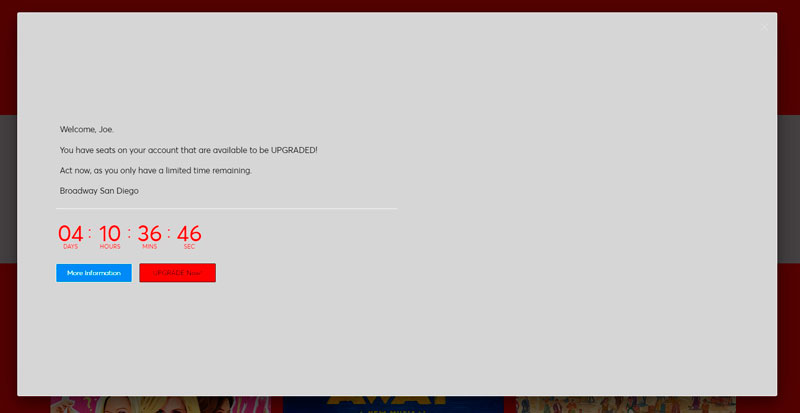
Log in to your season ticket account by clicking HERE. Once logged in, you will see a countdown timer to when your upgrade window will open and a button to get more information.
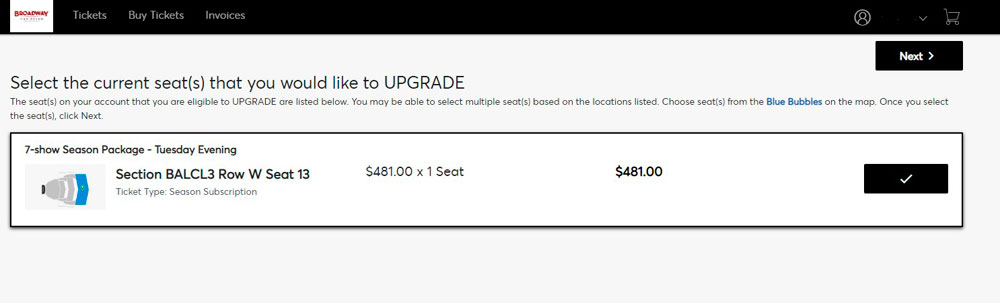
- Select which seat(s) you would like to Upgrade. Once you have selected the seat(s) you wish to Upgrade, click “Next” or “Upgrade Seats.”
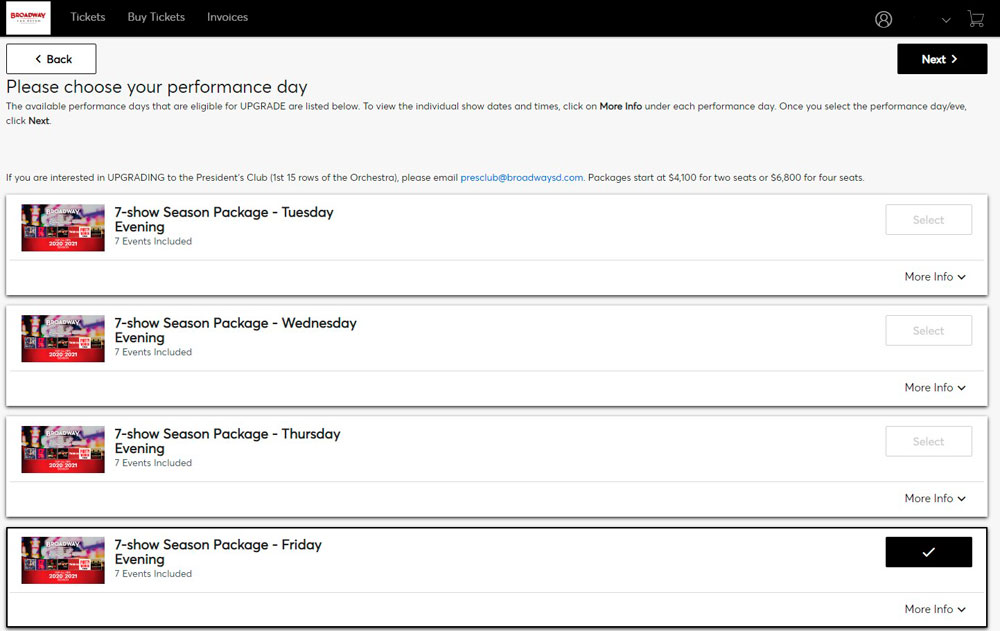
- Next you will be able to select your plan. Here you can change the day and time of your current Season Tickets to a different day or time if you choose. If you don’t wish to change the day or time you regularly attend shows, then you may choose to remain in the same day and time. Please select which plan you would like to try and upgrade into and click “Select Plan”. Once you have selected your plan, then click “Next” to then select your seats.
-
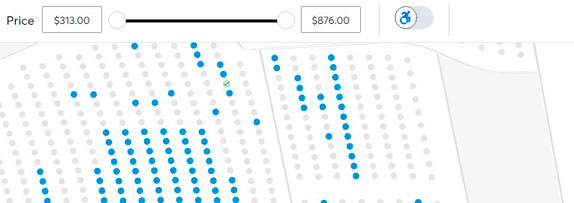
Choose the new section and seats you would like to Upgrade into. Use the + and – buttons at the bottom right of the Map screen to zoom in to see what seats are available.
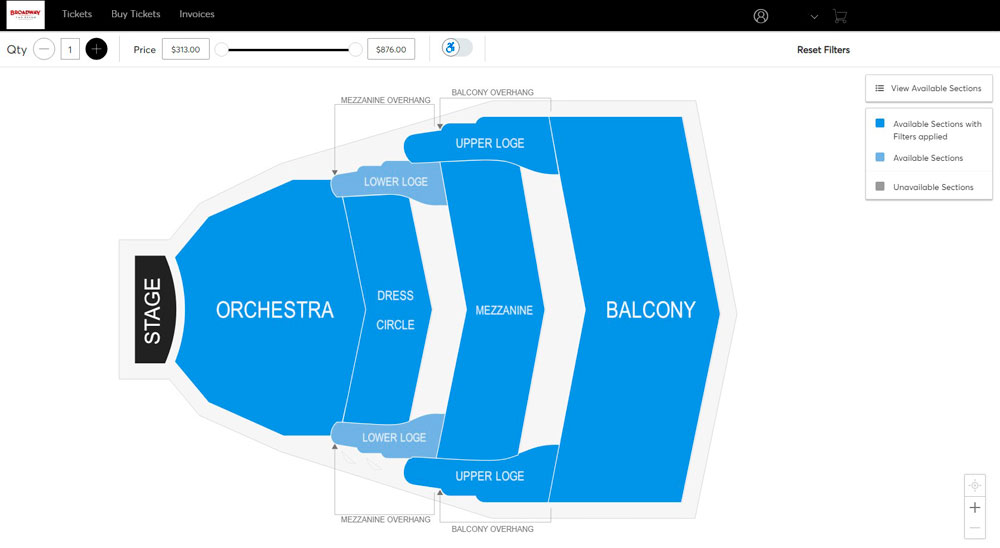
Choose seat(s) from the Blue Bubbles on the map. Once selected, click on the Cart in the upper right and click Continue.
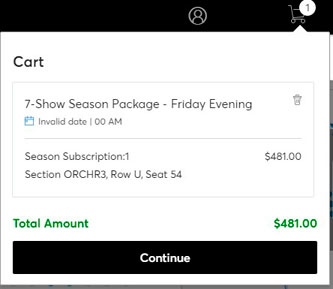
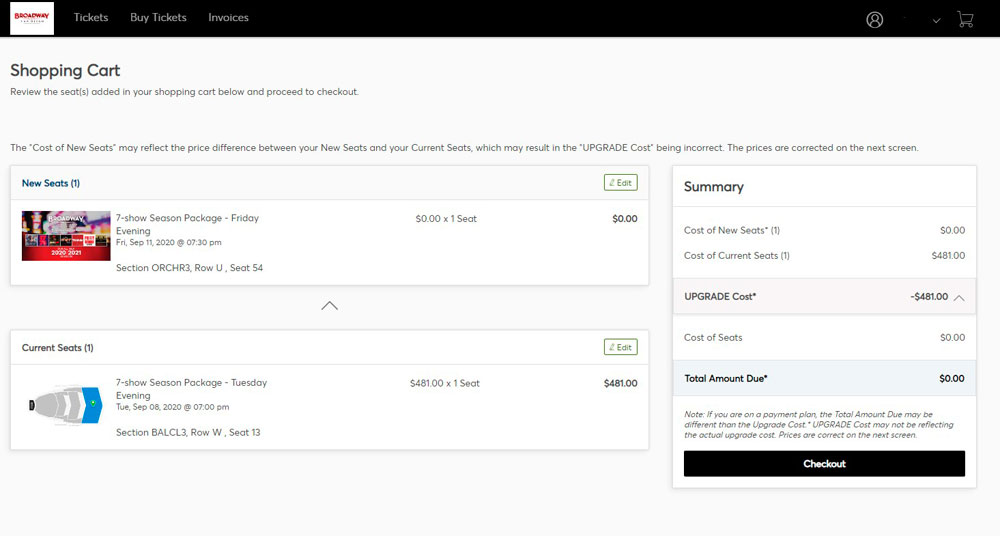
- Review your seat locations in the Shopping Cart, then click “Checkout”
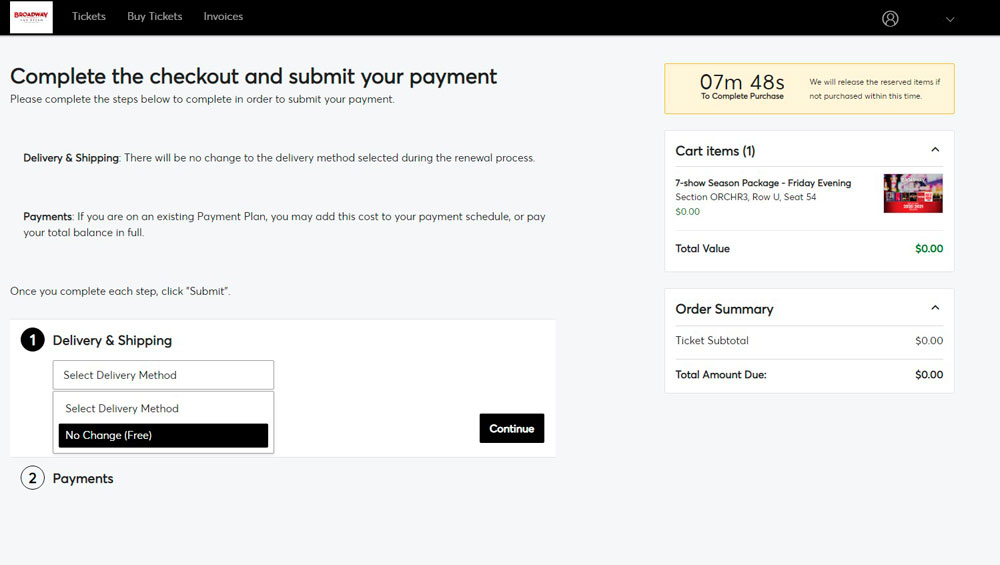
- Your delivery method will be what you selected during your renewal process. Payments: If you are on an existing Payment Plan, you may add this cost to your payment schedule or pay your total balance in full. Enter your Method of Payment and click Checkout.
💡 Need a Little More Help:
Have additional questions regarding Upgrades? Checkout our Upgrade page on are Broadway San Diego website: Click Here!
Need Assistance? We're Here to Help!
Broadway San Diego Season Ticket Service
888-937-8995 | SeasonTickets@BroadwaySD.com
Monday - Friday: 9 AM - 5 PM & Saturday: 9 AM - 3 PM